

ZIMRA FDMS Compliance: The Actual Fiscalisation Process for Zimbabwean Businesses (2026)
The real ZIMRA FDMS fiscalisation process — from requesting test access to production approval in 2-3 working days. Sample documents, validation steps, TaRMS auto-import, and what your software needs to handle.
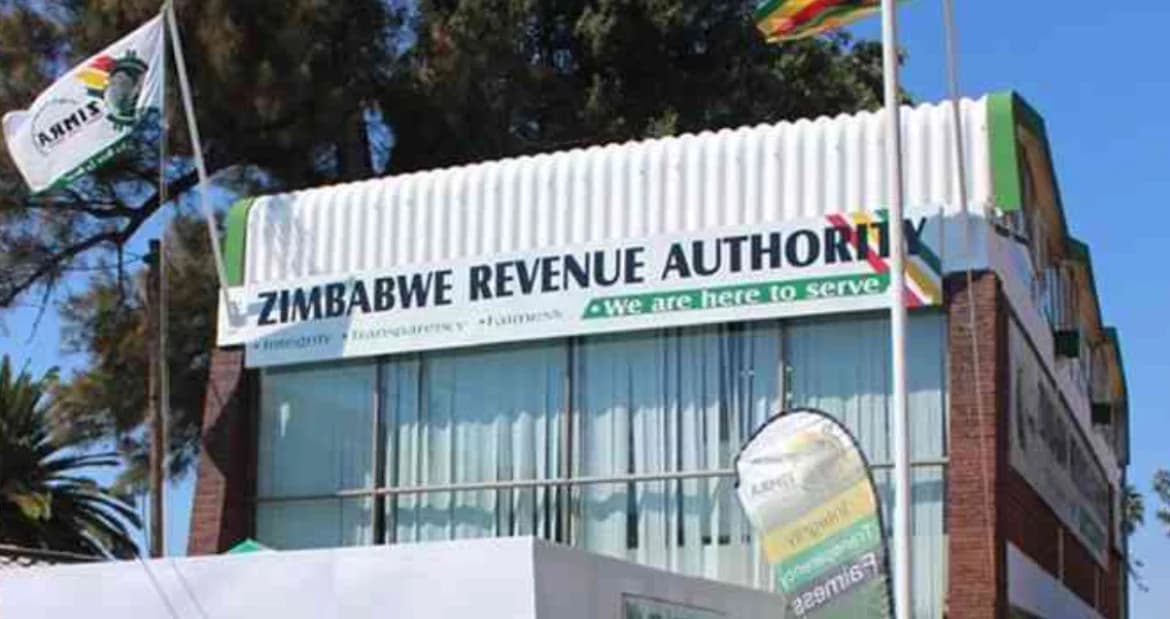
Let's skip the legalese. If you're running a business in Zimbabwe and you've been hearing about FDMS, fiscal devices, and QR codes on receipts — this is the plain-English breakdown of ZIMRA Fiscalisation that you actually need.
The biggest risk isn't the fine. It's the customer who walks into your shop, asks for a proper fiscal receipt, and you can't produce one. That customer goes to your competitor down the road who can. Multiply that across a week, a month, a year — and ZIMRA Fiscalisation isn't about compliance anymore. It's about revenue.
What FDMS Actually Requires (In Plain English)
ZIMRA's Fiscal Device Management System (FDMS) is the government's way of tracking every taxable transaction in real time. Here's what it means for your business:
- Every receipt must have a QR code — scannable, linking back to ZIMRA's verification system. Your customers can verify the receipt is real.
- Fiscal days must be opened and closed — think of it as a "shift" for your receipts. You open a fiscal day when you start trading, close it when you're done. Every receipt lives inside a fiscal day.
- Device registration — each point-of-sale or invoicing terminal needs a registered fiscal device with a unique serial number tied to your business.
- Buyer details on B2B transactions — since May 2025, full buyer details (TIN, VAT number, trade name, address, phone, email) are mandatory on all B2B receipts. Non-compliant invoices are ineligible for input tax claims.
- HS codes on every line item — Harmonized System product codes (minimum 4-digit) are required on all receipt lines submitted to FDMS.
- Sequential receipt numbering — receipts must follow a global sequence per device. No gaps, no duplicates.
If your business turnover exceeds $25,000 USD per year, you are required to register for VAT and comply with ZIMRA's FDMS. Even if you're below the threshold, many businesses are registering proactively — customers increasingly expect fiscal receipts.
The Actual Fiscalisation Process
This is the realistic path — not the "sign up and you're compliant in 30 minutes" fantasy. The entire process takes 2 to 3 working days depending on ZIMRA's approval speed. Here are the steps:
Step 1: Get Your Tax Affairs in Order
Before touching any software, make sure your business registration, BP number, TIN, and VAT registration are current with ZIMRA. If any of these are lapsed or incorrect, fix them first. This is a ZIMRA office visit, not a software step. Have your VAT registration number ready — you'll need it for every step that follows.
Step 2: Request Test Environment Access from ZIMRA
Email ZIMRA's FDMS team to request registration in the test environment. You'll need to provide your company name and VAT registration number. The subject line should be:
Subject: Virtual Fiscalisation registration in the test environment — [Your Company Name] ([Your VAT Number])
Send this to ZIMRA's FDMS team. In the email body, state that your API interface with FDMS has already been developed and request registration details and API endpoints.
The FDMS API integration is already built into vFiscal. When you email ZIMRA, you can truthfully say "the API interface has already been developed" — because it has. You just need the test credentials from ZIMRA to connect your account.
Step 3: Prepare and Submit Sample Documents
Once you have test environment access, you need to submit 6 sample documents for ZIMRA's validation team to review:
- Invoice (USD) and Invoice (ZiG/local currency)
- Credit Note (USD) and Credit Note (ZiG/local currency)
- Debit Note (USD) and Debit Note (ZiG/local currency)
Each sample document must include:
- Line items with quantity greater than 1 (not just single-item invoices)
- At least one line with Standard VAT (Tax Code A — 15%)
- At least one line with Zero-rated/Exempt (Tax Code B — 0%)
- HS codes on every line item
Along with the 6 PDF documents, include an Excel template summarising the transactions. Email these to ZIMRA's validation team with the subject:
Subject: Validation of test samples — [Your Company Name] ([Your VAT Number])
State that you are requesting validation of samples done in the test environment in preparation for production fiscalisation.
Step 4: Resolve Any Test Environment Issues
If you run into problems with fiscal day management, device numbers, or serial numbers during testing, there is a separate ZIMRA support team that handles technical issues in the test environment. Contact them directly with your device details and error messages.
The most common problems are fiscal day sequence errors (opening a new day before closing the previous one) and device serial number mismatches. If your test submissions are rejected, check these first before contacting ZIMRA support.
Step 5: Get Production Approval and Go Live
Once ZIMRA validates your test samples, they approve you for production. You'll receive production credentials and endpoint access. At this point, every receipt your system issues is live — submitted to ZIMRA in real time, with QR codes that verify on the FDMS portal.
Realistic Timeline
| Step | Time Estimate | Bottleneck |
|---|---|---|
| Tax affairs & VAT registration | 1-5 business days | ZIMRA office queues |
| Request test environment access | 1-2 business days | ZIMRA FDMS team |
| Prepare & submit 6 sample documents | 1 day | You (with your software) |
| ZIMRA validates your samples | 1-2 business days | ZIMRA validation team |
| Resolve any test issues | 0-1 day | You + ZIMRA support |
| Production approval & go-live | 1 business day | ZIMRA approval |
| Total (after tax affairs are in order) | 2-3 working days | ZIMRA is the bottleneck |
The 2-3 working days assumes your tax affairs are already in order and ZIMRA responds promptly. If your VAT registration is lapsed or your documents need correction, add time for that. Also, ZIMRA updates FDMS specifications periodically — compliance isn't a one-time checkbox. Your software provider should be actively maintaining their FDMS integration, not just shipping it and forgetting about it.
Understanding the Edge Cases
This is where compliance gets nuanced. A few scenarios that trip up Zimbabwean businesses:
- Credit sales: Fiscalize at the point of invoice, not at payment. If you sell goods on 30-day credit, the fiscal receipt is generated when the invoice is issued.
- Third-party orders: If a customer orders via phone or WhatsApp and pays on delivery, you still need to issue a fiscal receipt at the point of sale — not when the order was placed.
- Returns and credit notes: These must reference the original fiscal receipt number. Your system needs to link them.
- Multiple payment methods: A customer paying half in USD cash and half via EcoCash is one receipt with two payment lines — not two receipts.
- Multi-currency invoices: Each currency needs its own fiscal receipt submission. That's why ZIMRA requires samples in both USD and local currency.
What Happens After June 2025: TaRMS Auto-Import
Since June 2025, ZIMRA's Tax and Revenue Management System (TaRMS) automatically pulls every FDMS submission into your VAT return. This means:
- Your VAT return drafts are pre-filled from fiscal receipt data
- Input tax schedules are generated automatically
- Credit notes and debit notes are logged against the original transaction
- Every FDMS submission directly populates your tax return — submission accuracy is now critical for VAT compliance
Before TaRMS, you could afford to be sloppy with fiscal receipts because the VAT return was a separate manual process. Now they're connected. A wrong tax code on a receipt directly affects your VAT return. Getting FDMS right is no longer optional — it's the foundation of your tax compliance.
How vFiscal Handles FDMS
vFiscal was built with FDMS compliance as a core architectural decision — not an add-on. Here's what that means in practice:
- Full fiscal device management — register devices, track their status, manage serial numbers and certificates, all from your dashboard.
- Fiscal day workflow — open and close fiscal days with a click. Every receipt is automatically tied to the active fiscal day. Close in 2 clicks, not 2 hours.
- Receipt generation with all required fields — QR codes, sequential numbering, tax breakdowns (Standard VAT, Zero-rated, Exempt), HS codes, and full buyer details for B2B transactions.
- Credit note and debit note linking — returns automatically reference the original receipt number, keeping your audit trail clean for TaRMS.
- Multi-currency fiscal receipts — USD, ZiG, ZAR, BWP, GBP, and EUR. Each currency is handled correctly per ZIMRA requirements.
- Built-in POS — the same system that handles your invoicing also runs your point-of-sale, so every transaction is fiscal from the start.
- WhatsApp invoicing — create invoices from WhatsApp and they're automatically fiscalised. No separate step needed.
Pricing That Makes Sense
FDMS compliance is included in the Standard plan at $5/month. That includes invoicing, inventory, accounting, POS, CRM, procurement, and full FDMS device management. Unlimited users and branches. No per-receipt charges, no hidden fees.
Start with a 14-day free trial — no credit card required.
What to Do Right Now
Don't wait until ZIMRA sends you a letter. Here's your action plan:
- Check your tax affairs — make sure your BP number, TIN, and VAT registration are current.
- Sign up for vFiscal — the 14-day free trial gives you access to the full FDMS workflow so you can prepare your sample documents.
- Email ZIMRA — request test environment access using the process above.
- Submit your samples — vFiscal generates the 6 required documents (Invoice, Credit Note, Debit Note in both currencies) with the correct tax breakdowns and HS codes.
- Go live — once ZIMRA approves your samples, switch to production. Every receipt is now fiscal.
The whole process takes 2-3 working days once your tax affairs are in order. No credit card required to start. No sales call required. Just a Zimbabwean business owner who's ready to get compliant.
Related reading: What Is ZIMRA Fiscalisation? · ZIMRA Fiscalisation Cost · Requirements Checklist · Step-by-Step Process
Want to see this in action?
Create a free account and explore — no credit card required.
Ready to Try It Yourself?
Join Zimbabwean businesses already using vFiscal to streamline invoicing, inventory, accounting, POS, procurement, and CRM — 16+ modules in one platform.
14-day free trial · No credit card required · $5/month after
Found this useful? Share it with other business owners.