

ZIMRA Fiscalisation Step-by-Step (2–3 Days)
The exact step-by-step ZIMRA Fiscalisation process for Zimbabwean businesses — from documents to first fiscalised invoice in 2–3 working days.
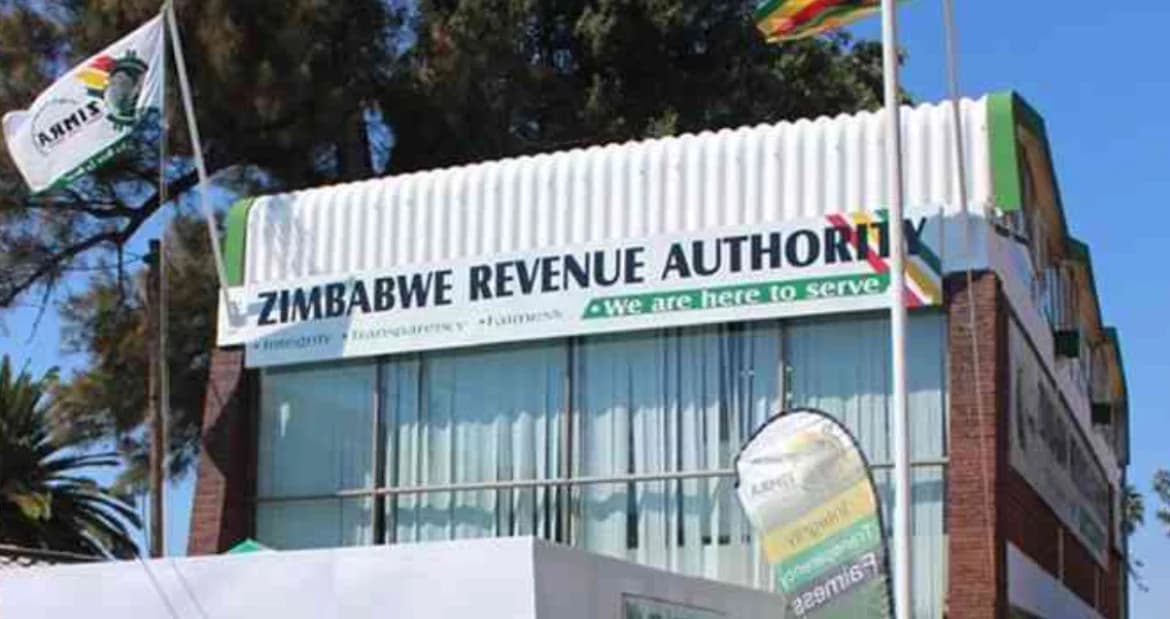
This is the day-by-day playbook of how ZIMRA Fiscalisation actually happens when it's done right. We've completed this process for hundreds of Zimbabwean SMEs through vFiscal — here's exactly how it goes from order to first fiscalised invoice in 2–3 working days.
If you've never been through ZIMRA Fiscalisation before, this guide will save you the 2–6 weeks most DIY attempts take.
Day 0: Pre-Fiscalisation Prep (Same Day)
The day you decide to fiscalise, gather these documents. You can do this in an hour if everything is in order:
- CR14 (current)
- Certificate of Incorporation
- TIN and BP number
- VAT registration certificate (if registered)
- Current tax clearance certificate
- Bank confirmation letter
- Director ID copies
- Proof of business address (utility bill or lease)
Send everything to your ZIMRA Fiscalisation provider via secure channel (we use WhatsApp + encrypted email). For a full prerequisites breakdown, see our ZIMRA Fiscalisation Requirements Checklist.
The moment your documents arrive, our compliance team verifies completeness, cross-checks TIN/BP against ZIMRA records, and opens your file. If anything's missing, we tell you immediately — not three days later.
Day 1: ZIMRA Submission
With documents verified, we submit to ZIMRA. Three parallel tracks run simultaneously:
- Taxpayer verification — we call the
/verifyTaxpayerInformationFDMS endpoint to confirm your business is recognised by ZIMRA and has no outstanding flags. - Sample fiscal invoice preparation — we generate a sample fiscal invoice matching ZIMRA's 2026 specification (HS codes, buyer details, tax breakdown, QR code) using your real business details.
- FDMS production registration request — submitted via our active ZIMRA test environment access.
By end of Day 1, ZIMRA has your file. You receive a status update from us with the expected next steps and timing.
Day 1–2: BP & TIN Issuance / Verification
If your BP or TIN needs any reconciliation, this happens between Day 1 evening and Day 2 morning. Common adjustments include:
- Updating registered address with ZIMRA
- Confirming directors match CR14
- Re-activating dormant VAT registrations
- Resolving outstanding return queries
These usually require one phone call or one ZIMRA office visit. Our team handles all of this on your behalf — you don't visit ZIMRA.
Day 2: Fiscal Device Provisioning
Once ZIMRA approves your application, FDMS issues:
- Your device ID (ZIMRA-assigned integer)
- Your activation key (8-character string)
- Your device serial number (assigned by us, max 20 chars)
- Your fiscal device certificate (X.509, valid through 2030)
We provision these into your vFiscal account automatically. No copy-paste, no manual config. The certificate is securely stored and used to sign every receipt you issue.
Day 3: FDMS Integration & Test Receipt
With your virtual fiscal device live, we run an end-to-end test:
- Open your first fiscal day via
/openFiscalDay/{deviceID} - Issue a test fiscalised invoice — signed locally, then sent to ZIMRA
- Confirm ZIMRA's server signature comes back successfully
- Verify the QR code resolves on the ZIMRA portal (
https://fdms.zimra.co.zw) - Close the test fiscal day with the Z-report counters
If everything passes, your business is officially fiscalised. You can also read our deeper FDMS compliance deep-dive for the technical details of what happens behind the scenes.
Go-Live: Issuing Fiscalised Invoices
From this point forward, every invoice, quotation, credit note, and POS transaction you issue through vFiscal is automatically fiscalised:
- Fiscal QR code generated client-side and printed on every receipt
- Device serial and global receipt number on every invoice
- Tax breakdown calculated correctly (15% VAT, 0% zero-rated, 5% NVWHT where applicable)
- Buyer details captured per 2025 mandate (TIN, VAT number, address)
- HS codes auto-attached per line item
- Real-time submission to FDMS — or queued for retry if connection drops
Most clients issue their first real fiscalised invoice within an hour of go-live. The QR code is scannable, the invoice is verifiable on ZIMRA's portal, and your customer's accountant will accept it for input tax claims. The reaction is usually relief, not celebration — this should have been easy from the start.
Post-Fiscalisation Maintenance
ZIMRA Fiscalisation is not a one-time event. Ongoing maintenance includes:
- Daily: open fiscal day at start of trading, close at end
- Monthly: review Z-report counters and VAT figures
- Quarterly: VAT return submission — TaRMS auto-pulls FDMS data
- Annually: certificate renewal before expiry
- Ongoing: monitor receipt validation colour (Grey, Yellow, Red)
vFiscal handles fiscal day open/close, certificate renewal, and TaRMS sync automatically. You focus on running the business.
How vFiscal Does All This For You
Doing ZIMRA Fiscalisation properly takes:
- Active FDMS test environment access (requires ZIMRA approval as software vendor)
- Working production registration relationship with ZIMRA
- Cryptographic signing infrastructure (HSM or certified key store)
- Real-time API integration with retry, queue, and reconciliation logic
- Compliance team familiar with ZIMRA office processes
Most Zimbabwean businesses can't justify building this in-house. We've already built it, so we do it for $5/month. Start your ZIMRA Fiscalisation here or WhatsApp us on +263 718 485 575.
Related reading: What Is ZIMRA Fiscalisation? · Cost Breakdown · Requirements Checklist
Want to see this in action?
Create a free account and explore — no credit card required.
Ready to Try It Yourself?
Join Zimbabwean businesses already using vFiscal to streamline invoicing, inventory, accounting, POS, procurement, and CRM — 16+ modules in one platform.
14-day free trial · No credit card required · $5/month after
Found this useful? Share it with other business owners.